> ## Documentation Index
> Fetch the complete documentation index at: https://docs.findly.ai/llms.txt
> Use this file to discover all available pages before exploring further.
# Automatic Semantic Layer Setup
> Discover how to automatically configure your semantic layer with Findly's setup wizard.
Connecting to databases other than Google Analytics requires an Enterprise
plan. [View Pricing](https://www.findly.ai/pricing) for details.
## Introduction to the Automatic Setup Wizard
Findly's automatic setup wizard streamlines the creation of your semantic layer. It guides you through table selection, optimization, and automatic generation, enabling rapid data preparation for analysis.
## Steps in the Automatic Setup Wizard
The automatic setup wizard consists of three main steps:
Select the relevant tables from your dataset that you want to include in the
semantic layer.
{" "}
Optionally add descriptions to each selected table to provide more context and
clarity.
Findly automatically generates the semantic layer based on your selected tables and their inferred relationships.
 ## 1. Table Selection
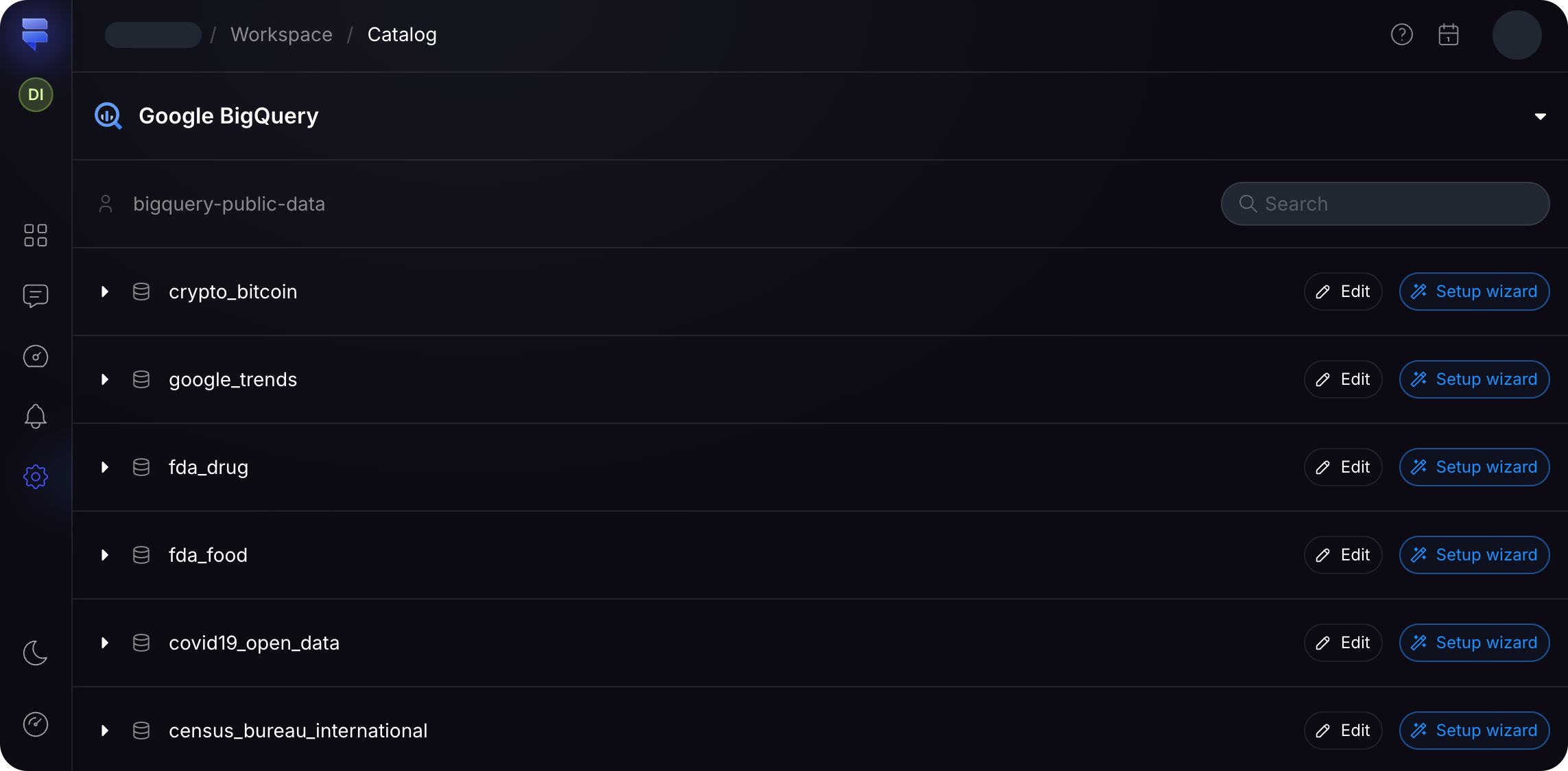
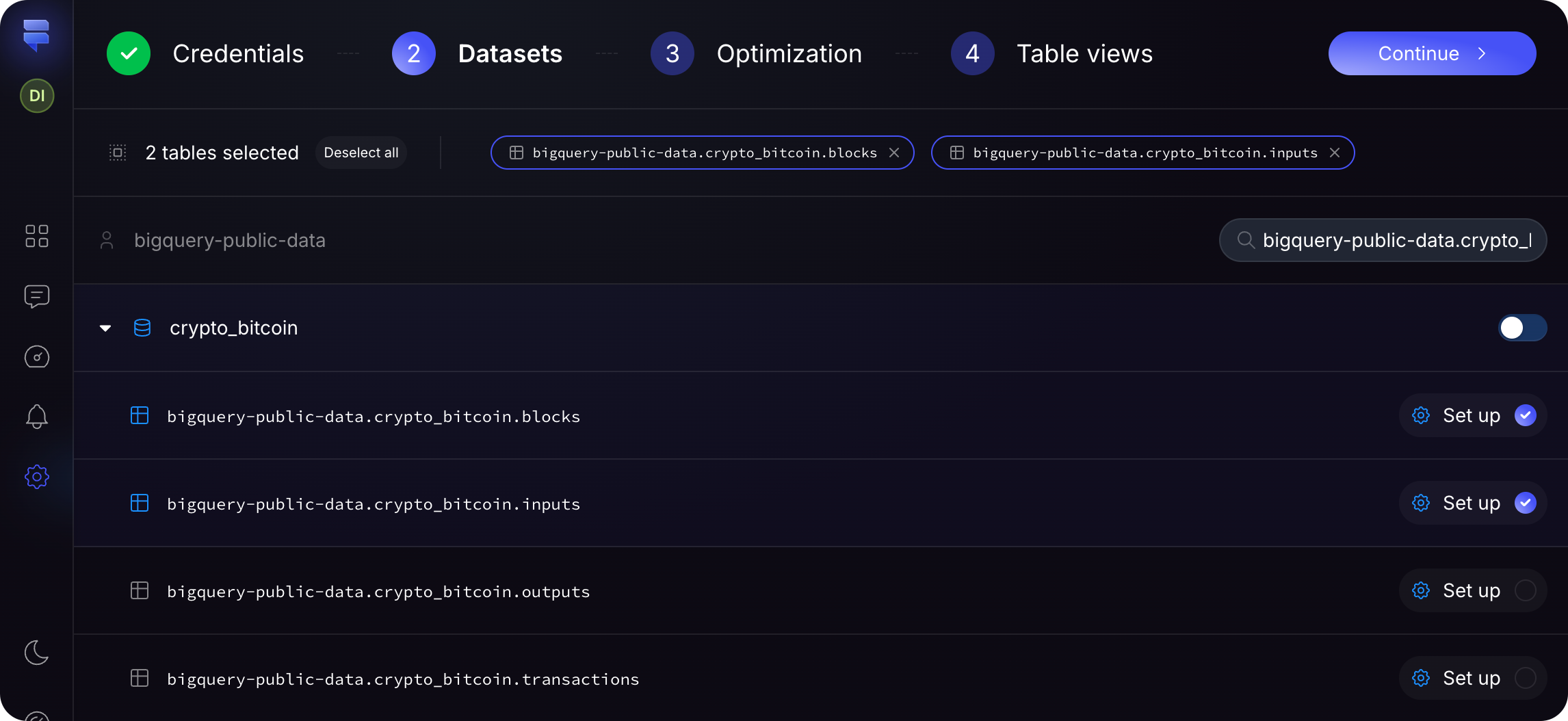
In the table selection step, you'll be presented with a list of tables from your dataset. Choose the tables that contain the data you want to analyze and include in your semantic layer. This step helps narrow down the focus to the most relevant data for your analysis.
## 1. Table Selection
In the table selection step, you'll be presented with a list of tables from your dataset. Choose the tables that contain the data you want to analyze and include in your semantic layer. This step helps narrow down the focus to the most relevant data for your analysis.
 ## 2. Table Optimization
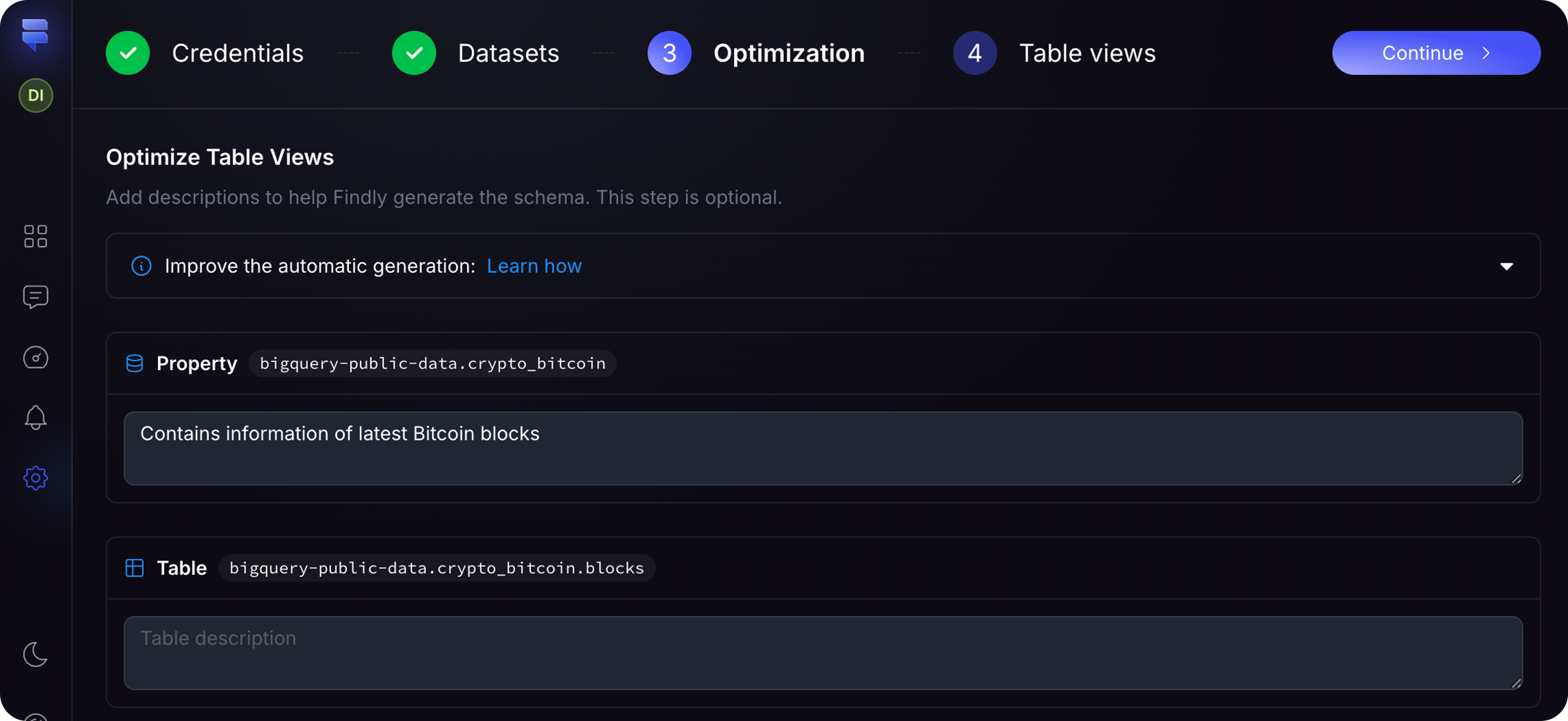
After selecting the tables, you have the option to add descriptions to each table. Providing clear and concise descriptions can help other users understand the purpose and content of each table, making it easier to collaborate and maintain the semantic layer over time.
Adding table descriptions is optional but highly recommended, as it helps our
model better understand the data for the automatic generation step.
## 2. Table Optimization
After selecting the tables, you have the option to add descriptions to each table. Providing clear and concise descriptions can help other users understand the purpose and content of each table, making it easier to collaborate and maintain the semantic layer over time.
Adding table descriptions is optional but highly recommended, as it helps our
model better understand the data for the automatic generation step.
 ## 3. Automatic Generation
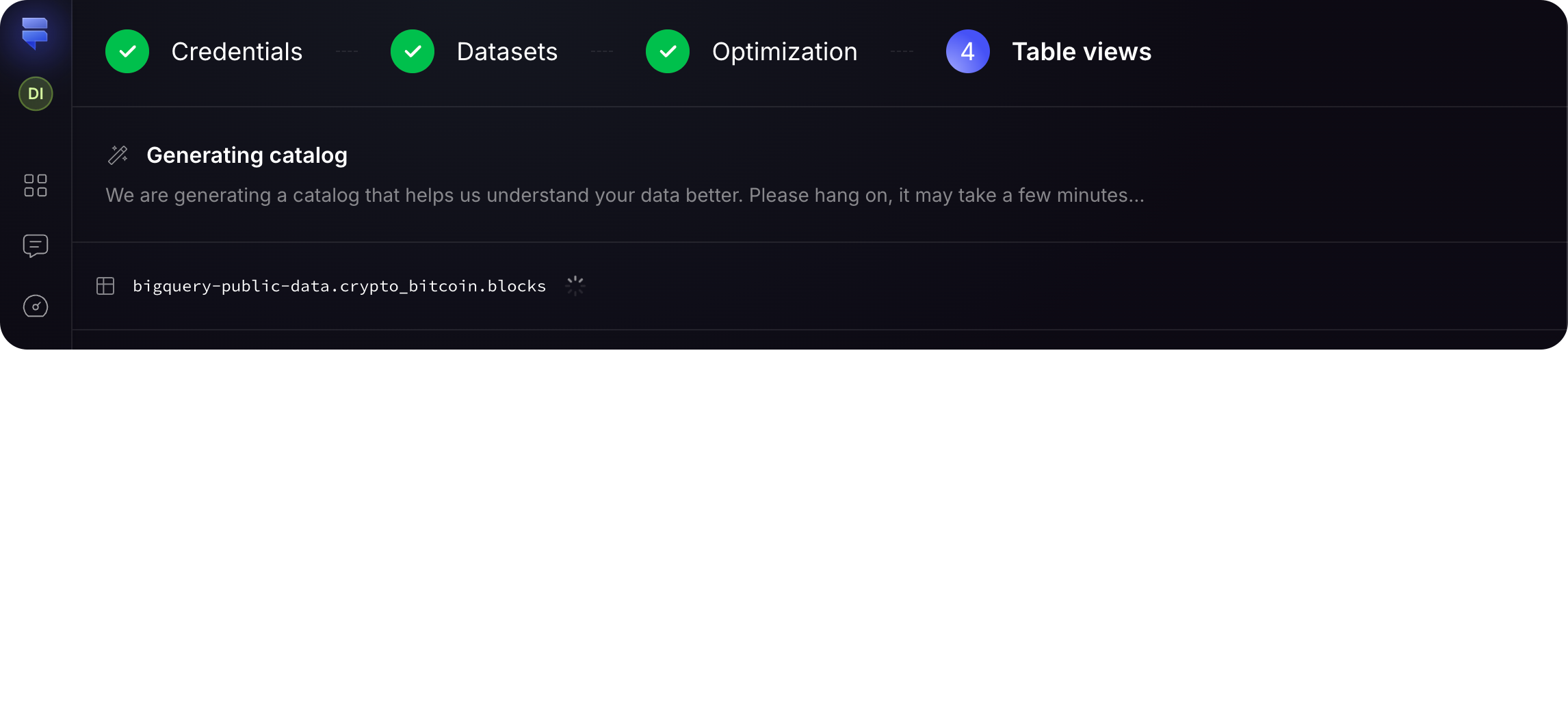
After table selection and (optional) descriptions, Findly automatically generates the semantic layer. It analyzes table relationships, identifies key metrics and dimensions, and creates a structured semantic layer ready for immediate use.
The automatic generation process saves you time and effort by eliminating the need to manually define each metric and dimension. It leverages advanced algorithms to intelligently create a semantic layer that accurately represents your data.
## 3. Automatic Generation
After table selection and (optional) descriptions, Findly automatically generates the semantic layer. It analyzes table relationships, identifies key metrics and dimensions, and creates a structured semantic layer ready for immediate use.
The automatic generation process saves you time and effort by eliminating the need to manually define each metric and dimension. It leverages advanced algorithms to intelligently create a semantic layer that accurately represents your data.
 ## Conclusion
Findly's automatic setup wizard simplifies semantic layer creation. By guiding you through table selection, optimization, and automatic generation, it allows for rapid data preparation without extensive manual configuration.
Yes, you can make adjustments to the automatically generated semantic layer if
needed. The wizard provides a starting point, but you have the flexibility to
fine-tune the metrics and dimensions to suit your specific analysis
requirements.
## Conclusion
Findly's automatic setup wizard simplifies semantic layer creation. By guiding you through table selection, optimization, and automatic generation, it allows for rapid data preparation without extensive manual configuration.
Yes, you can make adjustments to the automatically generated semantic layer if
needed. The wizard provides a starting point, but you have the flexibility to
fine-tune the metrics and dimensions to suit your specific analysis
requirements.